
How to Disinfect a Microcurrent Device After Illness

After illness, switch the microcurrent device off, unplug it, wipe away visible residue with a soft cloth and mild soap-and-water cleaning, then disinfect the exterior with a manufacturer-approved product that matches the label’s contact time and surface limits. Keep liquid away from ports, seams, and charging parts, and let every treated surface dry completely before storage or reuse. If the manual gives no disinfection method, choose a wipe format the maker accepts instead of spraying, and stop if the finish, electrodes, or dock are not listed as safe.
Microcurrent devices deliver low-level electrical currents designed to stimulate facial muscles and boost circulation. That makes them skin-contact electronics, not bathroom counters. Cleaning has to respect electrodes, buttons, seams, and charging parts, especially after a cold, flu, stomach illness, or a skin infection.
What to clean first
Clean visible residue before you disinfect. Soap and water can remove many germs and lift skin oil, gel, and saliva film; disinfection is the separate step that kills or inactivates what remains on compatible surfaces. NPIC also notes that disinfectants are not for routine cleaning, and that label contact time matters.
-
Power down and unplug.
Turn the device off before touching any surface. Remove it from the charging dock and keep the dock dry, because charging contacts and ports are moisture-sensitive. -
Lift off visible residue.
Use a lint-free or soft cloth that is slightly damp, not soaking wet, to remove gel, skin oil, and debris from the electrodes, treatment head, and handle. Avoid scraping, because electrodes can be scratched or dulled. -
Wash only approved surfaces.
If the manual allows it, use mild soap and water on external parts that can tolerate damp wiping. Do not submerge the device, and do not let liquid pool at seams, buttons, or charge points. -
Apply the disinfectant correctly.
Use only a disinfectant or wipe format that the manufacturer says is safe for the finish and electronics. Hold the surface wet for the full label contact time, because a quick swipe does not disinfect. -
Air-dry fully.
Let every treated surface dry before storage or reuse. Do not reconnect power until the electrodes, buttons, and charging area are visibly dry.
A common first-timer mistake is to start with a wipe and skip residue removal. That leaves gel or skin oil on the head, which can block the disinfectant from reaching the surface. Another mistake is to put the device back on the dock while a seam still looks damp.
Can I use alcohol wipes on a microcurrent device?
Sometimes, but only if the manufacturer allows that exact wipe type and the finish can tolerate it. Alcohol wipes may be acceptable on some external surfaces, yet they are not automatically safe for every coating, mesh head, or printed control. Do not assume that one device’s alcohol compatibility applies to another.
Foreo says microcurrent should never be used without a conductive gel, and that kind of device-specific instruction is the standard to follow for cleaning too: the model’s materials decide what is safe. If the manual does not mention alcohol wipes, treat them as unconfirmed.
When an alcohol wipe may be acceptable
Use it only for targeted exterior wiping on a surface that is listed as alcohol-safe by the manufacturer. Keep the wipe damp, not dripping. A wipe that leaves excess liquid behind can creep into seams and buttons.
When the finish changes the answer
If the device has a soft-touch coating, mesh treatment head, painted trim, or decorative plating, alcohol can dull or cloud the finish. If the listing does not confirm compatibility, stop and use the safer method in the manual, or quarantine the accessory until you get a clear answer from the manufacturer.
How to disinfect ports, seams, and charging parts
Ports, seams, buttons, and charging contacts need targeted wiping, not spray cleaning. Moisture in those areas can interrupt charging, corrode contacts, or get trapped where a cloth cannot reach. A wipe or cloth should clean the edge of each area without flooding it.
-
Remove the device from power.
Unplug the charger and separate the device from the dock before cleaning. Never clean a charging base while it is energized. -
Wipe edges, not openings.
Use a lightly damp cloth or approved wipe to clean around seams, button edges, and the outside of the charging port. Do not push liquid into holes or along gasket lines. -
Dry with a second cloth.
Follow with a dry lint-free cloth to pull moisture away from edges and contact points. If the port, dock, or seam still looks wet, wait longer before storing or charging.
Do not spray disinfectant directly onto a microcurrent device. Spray creates a fine mist that can travel into ports, switches, and the dock. If the disinfectant comes in spray form, spray the cloth, not the device, and use only the amount needed to keep the cloth barely damp.
What parts should never be soaked? The electrodes, treatment heads with electronic parts, buttons, charging ports, seams, and the dock. Even waterproof or water-resistant claims still need the owner’s manual checked first, because the rating may not cover every surface or accessory.
Illness-specific cleaning guide
The right level of cleaning depends on what the device contacted. A cold or flu usually means facial contact residue. Stomach illness raises contamination concerns far more, because body fluids and norovirus-like risks change the decision. Skin infection needs extra caution at the contact surface.
Cold or flu
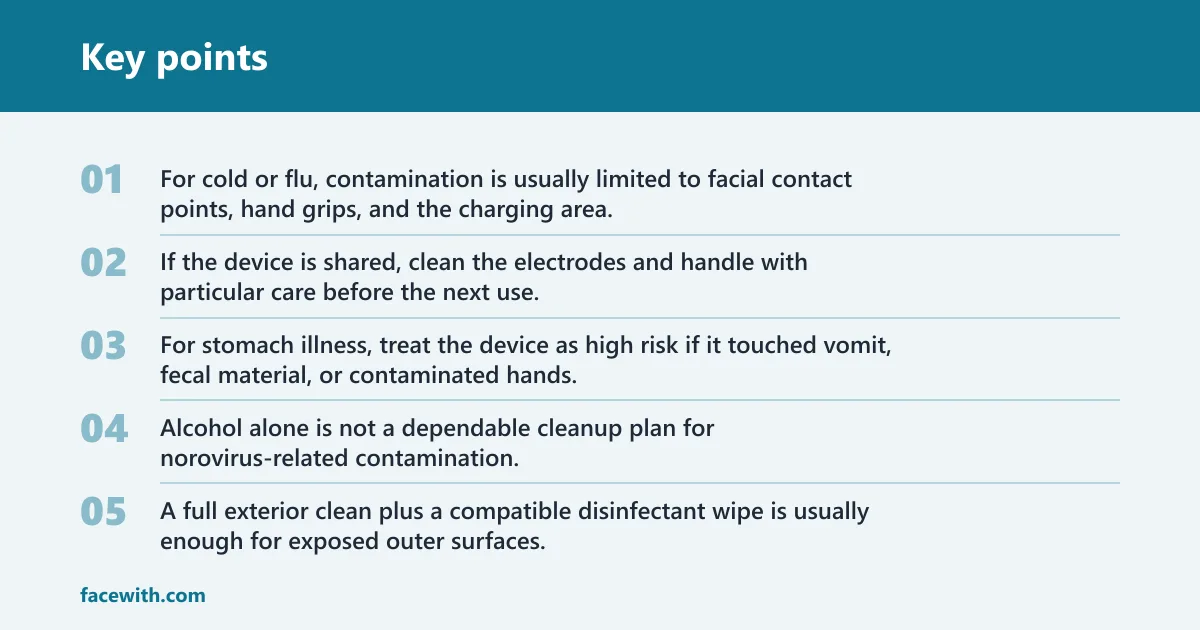
For cold or flu, contamination is usually limited to facial contact points, hand grips, and the charging area. Clean visible residue first, then disinfect the outer surfaces with a manufacturer-compatible wipe and the label’s contact time. If the device is shared, clean the electrodes and handle with particular care before the next use.
Stomach illness
For stomach illness, treat the device as high risk if it touched vomit, fecal material, or contaminated hands. Alcohol alone is not a dependable cleanup plan for norovirus-related contamination. If body fluids are present, stop using the device until the manufacturer confirms a safe decontamination method or advises replacement of the affected part.
Fever with no direct contact
If there was fever without direct contact and the device did not touch respiratory secretions, the contamination level is lower. A full exterior clean plus a compatible disinfectant wipe is usually enough for exposed outer surfaces. Keep the charging parts dry, and do not overclean delicate electrodes with repeated rubbing.
Skin infection
If the device contacted active skin infection, broken skin, or drainage, treat the electrodes and treatment head as the highest-risk surfaces. Clean, then disinfect if the manufacturer allows it. If the finish is damaged, the head is scratched, or the surface cannot be confirmed safe, quarantine that accessory and replace it rather than guessing.
Illness cleaning decision table
| Illness type | Device contamination level | Safest cleaning method | When to retire or replace accessories |
|---|---|---|---|
| Cold or flu | Low to moderate on electrodes, handle, and buttons | Power off, unplug, remove residue, then wipe external surfaces with a manufacturer-approved disinfectant wipe; keep the wipe damp, not soaked | Replace electrodes or treatment heads if they are scratched, dulled, or no longer cleanable without forcing liquid into seams; do not reuse a damaged charging dock |
| Stomach illness | High if vomit, stool, or contaminated hands touched the device | Stop use, isolate the device, and use only the manufacturer’s confirmed decontamination method; do not assume alcohol is enough | Retire any accessory with body-fluid exposure if the manufacturer does not give a safe method; replace electrode heads, handle covers, or dock parts that cannot be decontaminated |
| Fever with no direct contact | Low on exposed exterior surfaces | Clean residue first, then disinfect the outer shell and handle with a compatible wipe; avoid spraying ports, seams, or the dock | Replace accessories only if finish damage, cracks, or moisture intrusion are present; a clean, intact head can usually stay in service |
| Skin infection | Moderate to high on electrodes and treatment heads | Clean first, then use only a manufacturer-compatible disinfectant on the contact surface; keep the charging parts dry throughout | Retire or replace electrodes and treatment heads that are porous, cracked, discolored, or impossible to disinfect without abrasion; do not reuse a compromised dock or cable |
Are microcurrent devices safe to use again after illness?
Yes, if the device is fully dry, the surface is intact, and the cleaning method matched the manufacturer’s instructions. If the manual does not cover disinfection, or if the device has damage, odor, residue, or moisture in a port, do not use it yet. Dry time matters as much as the wipe itself.
Dermatologists recommend using a microcurrent device daily, or at least three to five times per week, but that schedule only applies after the device has been cleaned and dried correctly. A 2024 study used the Slendertone Face device five days per week for 12 weeks, with 56 participants using the device and 52 assigned to a control group. At-home devices can provide noticeable benefits, though they are generally less powerful than professional-grade treatments.
Microcurrent benefits can include mild lifting, firming, improved circulation, and enhanced lymphatic drainage. Improper use can cause mild redness or a tingling sensation. Those effects are about treatment, not cleaning, but they are a reminder to return the device to a dry, intact, manufacturer-approved state before the next session.
Suppose a handle still feels tacky after wiping. That is a sign to wait longer before reuse, because residue can transfer back to the skin and interfere with conductive gel. Picture a charging dock with a damp seam: even if the body looks clean, the dock should stay out of service until it is fully dry and inspected.
Frequently asked questions
How do I disinfect a microcurrent device after being sick?
Power it off, unplug it, clean off visible residue first, then use only a manufacturer-compatible disinfectant on the exterior surfaces. Keep liquid away from ports, seams, and charging contacts, and let the device dry completely before reuse. If the illness involved stomach fluid, stop and confirm the safe method before proceeding.
Should I clean the device before or after disinfecting it?
Clean first, disinfect second. Soap and water or a mild cleaning wipe remove residue that can block the disinfectant from reaching the surface. Disinfection works best on a clean, compatible surface, and the label contact time only matters after visible dirt and gel are removed.
How do I disinfect the electrodes without damaging them?
Use a soft, lint-free cloth or approved wipe that is only slightly damp, and wipe the electrode surface gently without soaking or scrubbing. Do not scrape the heads or use abrasive pads. If the electrodes are scratched, porous, or dulled, replace them instead of forcing repeated cleaning.
Can I spray disinfectant directly on a microcurrent device?
No. Direct spraying can drive liquid into buttons, seams, ports, and the charging dock. Spray the cloth if the product comes in spray form, then wipe the exterior lightly. Follow the disinfectant label’s wet contact time, but keep the device itself from getting flooded.
What should I do if the device has ports, seams, or a charging dock?
Treat those areas as moisture-sensitive. Unplug the device, wipe around the openings with a barely damp cloth or approved wipe, then dry with a separate cloth before reconnecting power. Do not soak the dock or let fluid pool in seams, even if the device claims water resistance.


